3D Cursor for Unity
A Blender-style 3D cursor for the Unity Editor. You place a reference point anywhere in your scene, then move, duplicate, rotate, replace, and group objects relative to it. It's driven by a Scene-view radial (pie) menu with live previews, so your hand stays on the mouse.
Unity has no native persistent 3D cursor. If you've ever wished you could drop a marker and snap, duplicate, rotate, or group objects around it the way you do in Blender, that's what this tool gives you.
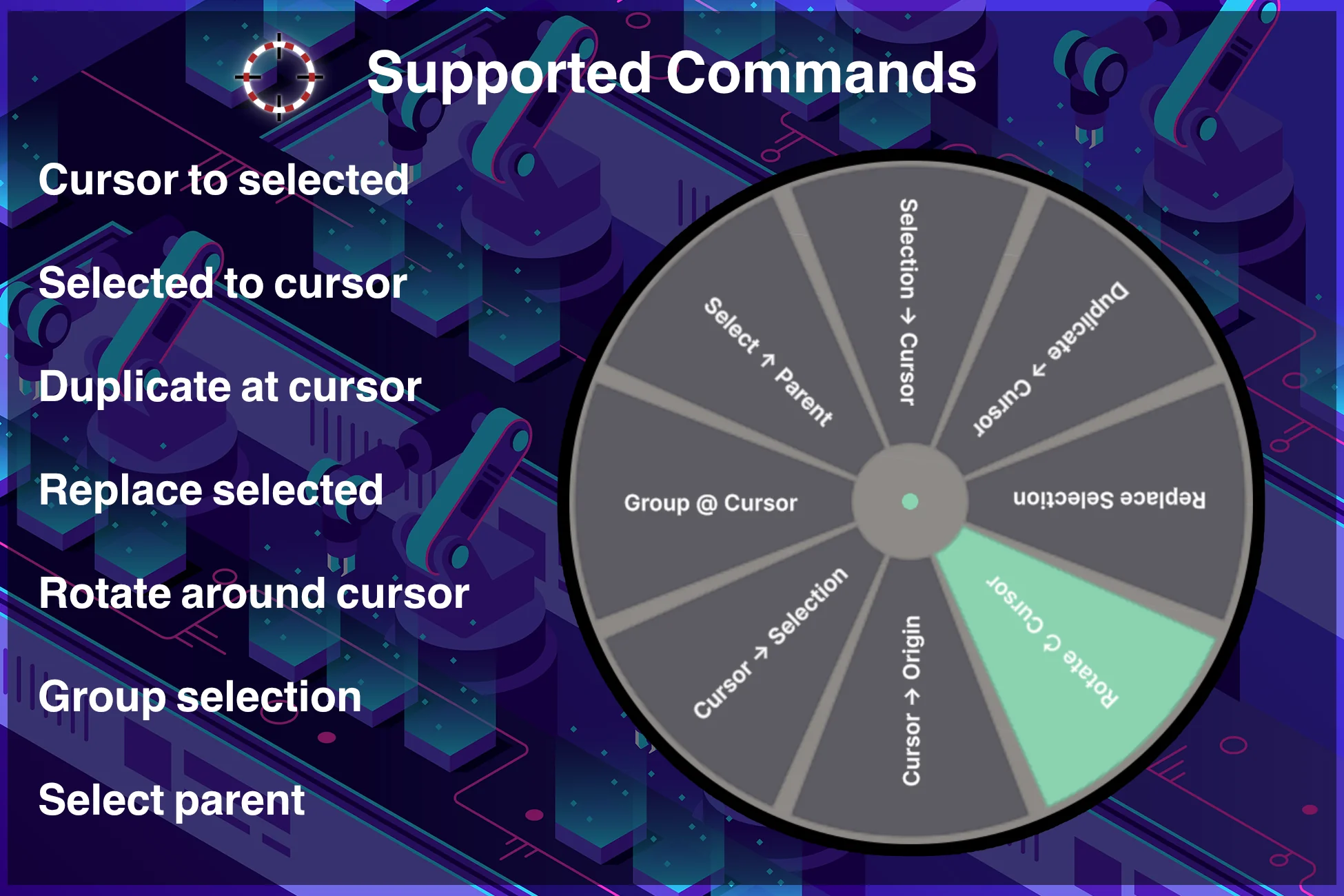
The core idea
The 3D cursor is a marker that stays in your scene. It does not move on its own and it cannot be selected by clicking in the viewport, so it never gets in your way. You decide where it sits, and every operation uses it as the pivot or target.
The cursor is created automatically the first time you use the tool, and it persists as you work and across entering and leaving play mode.
The loop is always the same: place the cursor where you want a pivot, then run an operation against it.
Where to next
- Installation & quick start — get a useful result in about a minute.
- The radial menu — the main way you drive the tool.
- Commands — every operation, explained.
- Troubleshooting & FAQ — common questions.